
ADVERTISEMENT
How to Speed Up Old Android Phones is something every Android user eventually wants to know. Over time, devices can slow down due to storage overload, outdated software, or background apps consuming resources. Understanding these factors is the first step toward improving performance.
Simple actions like clearing cache, uninstalling unused apps, and updating your operating system can make a noticeable difference. Even small tweaks, such as using lightweight apps or managing background processes, help your phone run smoother and respond faster.
If you want practical tips and easy-to-follow methods to bring your old Android phone back to life, keep reading to discover the best strategies for boosting speed and efficiency.
Understand the Causes of Slow Performance
Understanding why your old Android phone is slow can help you fix it quickly. There are various reasons for slow performance, often starting with overloaded storage. When your phone is filled with too many apps, photos, and videos, it struggles to run smoothly. Releasing some space can help improve speed.
ADVERTISEMENT
Another reason for slow performance is outdated software. If your Android operating system or apps are not regularly updated, they may not work well together. Updates often include fixes and improvements that keep your phone running efficiently. Regularly checking for and installing updates can make a significant difference.
Lastly, background processes can slow everything down. Many apps run in the background, even when you’re not using them. These processes take up memory and processing power. Closing unused apps or adjusting your settings can help reduce these background activities and speed up your device.
Clear Cache and Unused Apps
Clearing the cache and removing unused apps can significantly speed up your old Android phone. Every time you use an app, it stores temporary data in the cache. While this helps apps load faster, too much cache data can slow down your phone over time. Regularly clearing this cache can free up valuable space and improve performance.
In addition to clearing the cache, uninstalling apps you no longer use is crucial. Many people have hundreds of apps installed, but only use a few regularly. Unused apps take up storage space, which can slow down your device. By removing them, you not only get more storage but also help your phone run smoother.
You can easily manage cache and apps from your settings. Just go to the storage section and find options to clear cache or uninstall apps. Making this a regular habit can keep your old Android phone performing at its best!
Update Android OS and Apps
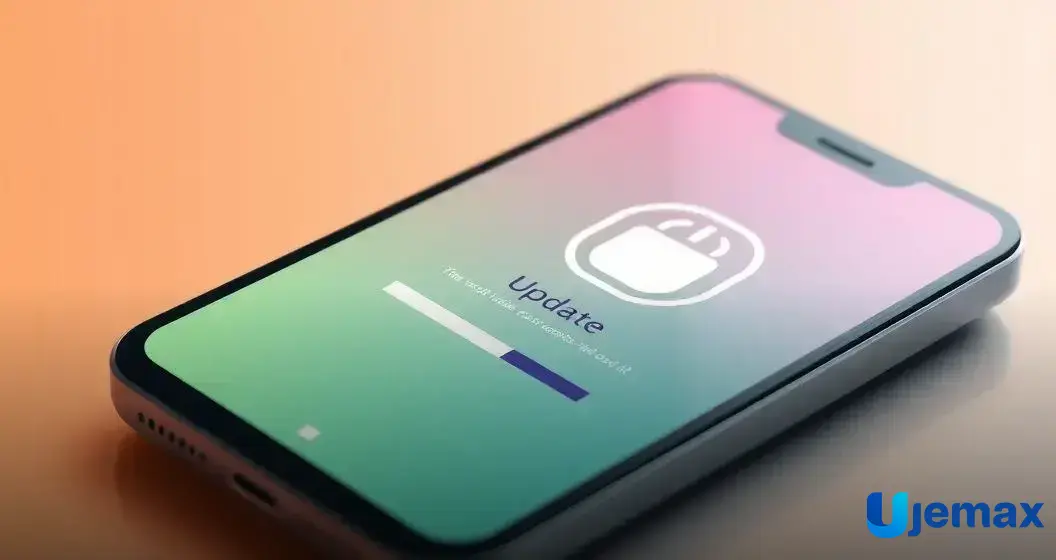
Updating your Android operating system and apps is one of the easiest ways to improve performance. When you update your OS, you get new features, security patches, and performance boosts. Manufacturers work hard to fix bugs and improve speed, so staying up-to-date helps your old phone run smoother and safer.
Apps also require regular updates. Developers often release new versions with fixes and optimizations that help them perform better. If you ignore updates, your apps may not work well with your OS. Regularly checking for app updates ensures everything runs as it should, leading to a better user experience.
To check for updates, go to your phone’s settings. You can usually find options for software updates and app updates there. Setting your phone to update automatically can save you time and ensure you never miss important improvements!
Disable Unnecessary Background Processes
Disabling unnecessary background processes can greatly speed up your old Android phone. Many apps run in the background even when you aren’t using them. These apps take up memory and processing power, which can cause your phone to lag or freeze. Managing these background processes helps your device perform better.
You can check which apps are running in the background through your phone’s settings. By visiting the apps section, you can see a list of all apps and their activity. If you find apps that you rarely use running in the background, you can disable them to free up your phone’s resources.
In some cases, you may also be able to limit background activity for certain apps. This way, they won’t use power and memory when you’re not actively using them. Taking these steps helps your phone stay fast and responsive, making it easier to enjoy everyday tasks.
Use Lightweight Applications
Using lightweight applications is a smart way to speed up your old Android phone. These apps require less memory and processing power, making them ideal for devices that may struggle with larger, more complex applications. By choosing apps designed to be simple, you can help ensure that your phone runs smoothly and efficiently.
Many popular apps offer ‘lite’ versions that are designed for better performance on older phones. For instance, Facebook Lite or Messenger Lite are smaller in size and still provide essential features without overwhelming your device. Switching to these lighter options can make a noticeable difference in how quickly your phone operates.
Before downloading any app, checking its size and resource requirements can help you make better choices. By utilizing lightweight applications that fit your phone’s capabilities, you can keep it responsive and extend its usable life without needing frequent upgrades.
Optimize Storage Space

Optimizing storage space is key to speeding up your old Android phone. Over time, our devices collect a lot of data, such as photos, videos, and downloads, that can fill up storage quickly. When your phone’s storage is almost full, it can slow down, making it harder to run apps and perform tasks. Regularly checking and cleaning up your storage helps keep your phone running smoothly.
One of the easiest ways to optimize storage is to delete old photos and videos that you no longer need. Many people take hundreds of pictures but only keep a few. You can also move important files to cloud storage services like Google Drive or Dropbox. This way, you can keep your device cleaner while still having access to your important files.
In addition, consider uninstalling apps that you rarely use. If an app hasn’t been opened in months, it may be time to let it go. Keeping only essential apps not only frees up space but also helps your phone perform faster. Optimizing your storage creates a better experience and can extend your old Android phone’s life.
Consider Factory Reset for Performance Boost
Considering a factory reset can be a powerful way to boost the performance of your old Android phone. A factory reset restores your phone to its original settings, removing all apps, data, and customizations. This means your phone will run as if it were brand new. If your device feels slow and cluttered despite other efforts, a reset may be just what it needs.
Before you reset, it’s important to back up your data. Since a factory reset deletes everything, you don’t want to lose your favorite photos, contacts, or important files. Use cloud storage or a computer to save your data securely. Once you have everything backed up, you can confidently proceed with the reset.
After the reset, your phone will be empty of unnecessary files and processes, making it faster and more responsive. This fresh start can often improve battery life and overall performance. Just remember to carefully reinstall apps and restore data gradually to maintain optimal speed without overwhelming your device.