

ADVERTISEMENT
Staying productive while managing a busy inbox is essential for professionals today. Email productivity tricks for busy people can streamline your tasks, making your workday smoother and more efficient.
Mastering your email is crucial for effective communication and time management. With the right strategies, you can transform your inbox from a burden into a tool for success that saves you time.
Keep reading to discover practical tips that will revolutionize your email habits and boost your productivity!
Utilize Email Filters Wisely
Email filters are powerful tools that can save you time and reduce clutter in your inbox. By applying filters, you can automatically sort incoming emails based on specific criteria, such as the sender, subject, or keywords. This helps keep your important messages at the top while moving less urgent emails to designated folders.
ADVERTISEMENT
To utilize email filters wisely, start by identifying the types of emails you receive most often. For example, you might want to filter newsletters into a separate folder or prioritize emails from your boss or key clients. Setting these filters up will help you stay organized and focus on what matters most, making your workday flow better.
Finally, remember to review and adjust your filters regularly. As your workload and communication needs change, your filtering rules might need updates. By ensuring your filters are effective, you can maintain an efficient email management system that keeps distractions at bay and boosts your overall productivity.
Set Specific Email Check Times
Setting specific email check times can greatly improve your focus and productivity. Instead of checking emails constantly throughout the day, choose certain times to review your messages. This way, you won’t be distracted by incoming notifications while trying to complete important tasks.
For example, decide to check your email in the morning, during lunch, and before you wrap up for the day. This structured approach allows you to manage your time better and ensures you stay on top of important communication without derailing your workflow.
Additionally, communicate your email schedule to your coworkers or clients. Letting them know when you’ll be available to respond can help manage expectations and reduce the number of urgent messages. By setting specific email check times, you create a balanced work environment that helps you stay productive.
Unsubscribe from Unnecessary Newsletters

Unsubscribing from unnecessary newsletters is a great step towards a cleaner inbox. Many people receive countless emails they never read, leading to frustration and wasted time. By removing these distractions, you can focus on the emails that truly matter to you.
To unsubscribe, look for the ‘unsubscribe’ link at the bottom of the newsletter. It’s usually easy to find. With just one click, you can stop receiving updates and remove the clutter. You will feel a sense of relief as your inbox becomes more manageable and organized.
Regularly reviewing your subscriptions is also helpful. Make it a habit to unsubscribe from newsletters that no longer interest you or provide value. A streamlined inbox allows you to discover important messages quickly, which improves your email productivity and keeps you on track with your busy schedule.
Write Concise Email Responses
Writing concise email responses is key to being efficient and clear in your communication. Busy people often appreciate quick replies that get straight to the point. When drafting your response, focus on the main message you want to convey without adding unnecessary details.
Start by identifying the key question or topic from the original email. Then, answer it clearly and directly. Use simple language and avoid long sentences. A short paragraph or even a few bullet points can effectively communicate your thoughts without overwhelming the reader.
Lastly, remember to close your emails with a friendly sign-off, but keep it brief. A simple “Thanks” or “Best” goes a long way. By crafting concise responses, you not only save your time but also respect the time of others, leading to more productive communication.
Use Templates for Routine Emails
Using templates for routine emails can save you time and help you stay organized. If you often send similar messages, like meeting requests or follow-ups, having a ready-to-use template makes the process quick and easy. You won’t have to start from scratch each time, which can clear up your busy schedule.
When creating templates, ensure they are simple but customizable. Start by writing a clear structure for your email with placeholders for names, dates, and specific details. This way, you can personalize each message without rewriting everything. A good template balances professionalism with a friendly tone.
Remember to review and update your templates regularly. Outdated information or phrases can make your emails feel impersonal. By keeping your email templates fresh, you maintain clear communication and always present a professional image, enhancing your productivity.
Prioritize Emails by Importance

Prioritizing emails by importance helps you manage your time and energy better. Start by quickly scanning your inbox for emails that require immediate attention. Look for messages from your boss, urgent requests, or anything with a deadline. These emails should be at the top of your list.
Next, group emails that can wait but still need responses. These might include messages from colleagues about ongoing projects or questions that can be answered later. Use labels or folders to organize these emails, making it easy to find them when you’re ready to respond.
Finally, remember to check your email priorities regularly. New messages will come in, and what was once important might change. By staying on top of your priorities, you can ensure that your responses are timely and effective, keeping your work on track.
Leverage Keyboard Shortcuts
Leveraging keyboard shortcuts can make your email management much faster and easier. Instead of clicking around with your mouse, learn a few simple shortcuts for actions like replying, forwarding, or composing new messages. This small change can save you a lot of time during your busy day.
For example, using shortcuts like Ctrl + R for replying or Ctrl + N for creating a new email can streamline your workflow. Many email programs have similar shortcuts, so take some time to look them up. Practicing these shortcuts will help you become more accustomed to them, allowing you to handle your emails quickly and effectively.
Additionally, you can create your own custom shortcuts for frequently used phrases or responses. This not only speeds up your communication but also ensures that you stay consistent in your messaging. By utilizing keyboard shortcuts, you can enhance your productivity and keep your email tasks under control.
Implement the Two-Minute Rule
Implementing the two-minute rule can significantly improve your email productivity. This simple rule states that if you can respond to an email in two minutes or less, do it right away. This prevents small tasks from piling up and keeps your inbox manageable.
When you receive a new email, take a moment to consider how long it will take you to reply. If it’s quick—like confirming a meeting or answering a simple question—don’t put it off. Handling these minor tasks immediately will help clear your mind and give you more space for larger projects.
Over time, using the two-minute rule can create a habit of taking swift action. You’ll find that your response times improve, and your efficiency increases. By applying this rule consistently, you will streamline your email process and enhance your overall productivity.
Incorporate Task Management Tools
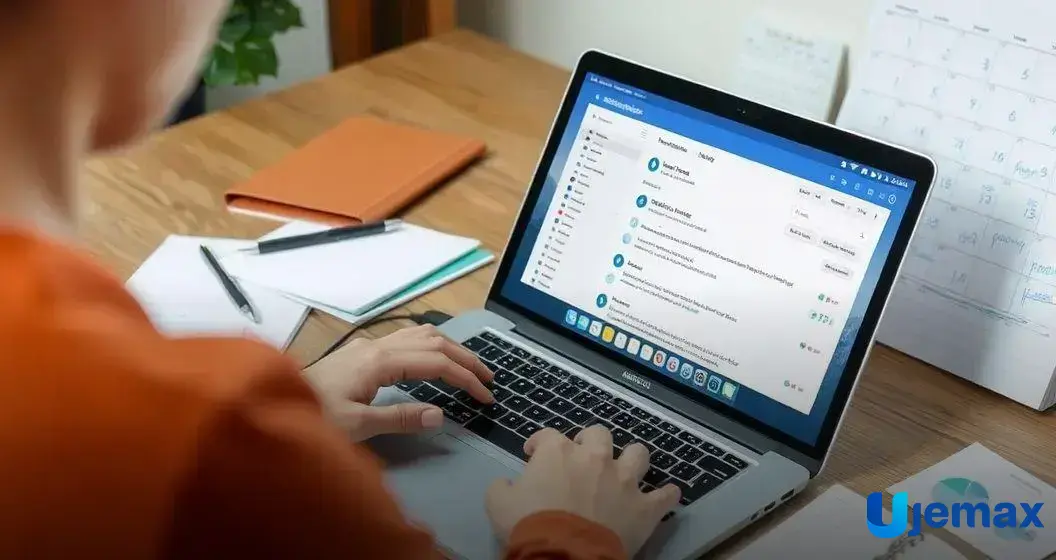
Incorporating task management tools can help you stay organized and boost your email productivity. These tools allow you to keep track of your tasks, deadlines, and important emails all in one place. By using a task manager, you can easily see what needs attention and prioritize your workload effectively.
Many task management apps can integrate with your email service. This means you can turn emails into tasks without leaving your inbox. For example, if you receive an email that requires follow-up, you can quickly add it to your task list with a simple click. This keeps everything linked and helps prevent tasks from slipping through the cracks.
As you start using task management tools, take time to find one that fits your style. Some tools are simple and straightforward, while others offer advanced features like project tracking and reminders. By finding the right tool for you, you can enhance your productivity and make your email management process much smoother.